Start with your first idea
Explore essential editing tools and find your style with 5 free fonts.
AaBbCc
 photovia
PHOTOS. COLLAGES. YOU.
Start with a photo. Play with color, add your words, and create a world of your own.
Coming to iOS and Android
 CREATE YOUR OWN STORYOutside the ordinary.YOU MAKE THE RULES. ↗
 A little imagination.
01 / YOUR POCKET CREATIVE SPACE
From your first photo to your next post. A creative space that keeps up with your ideas.
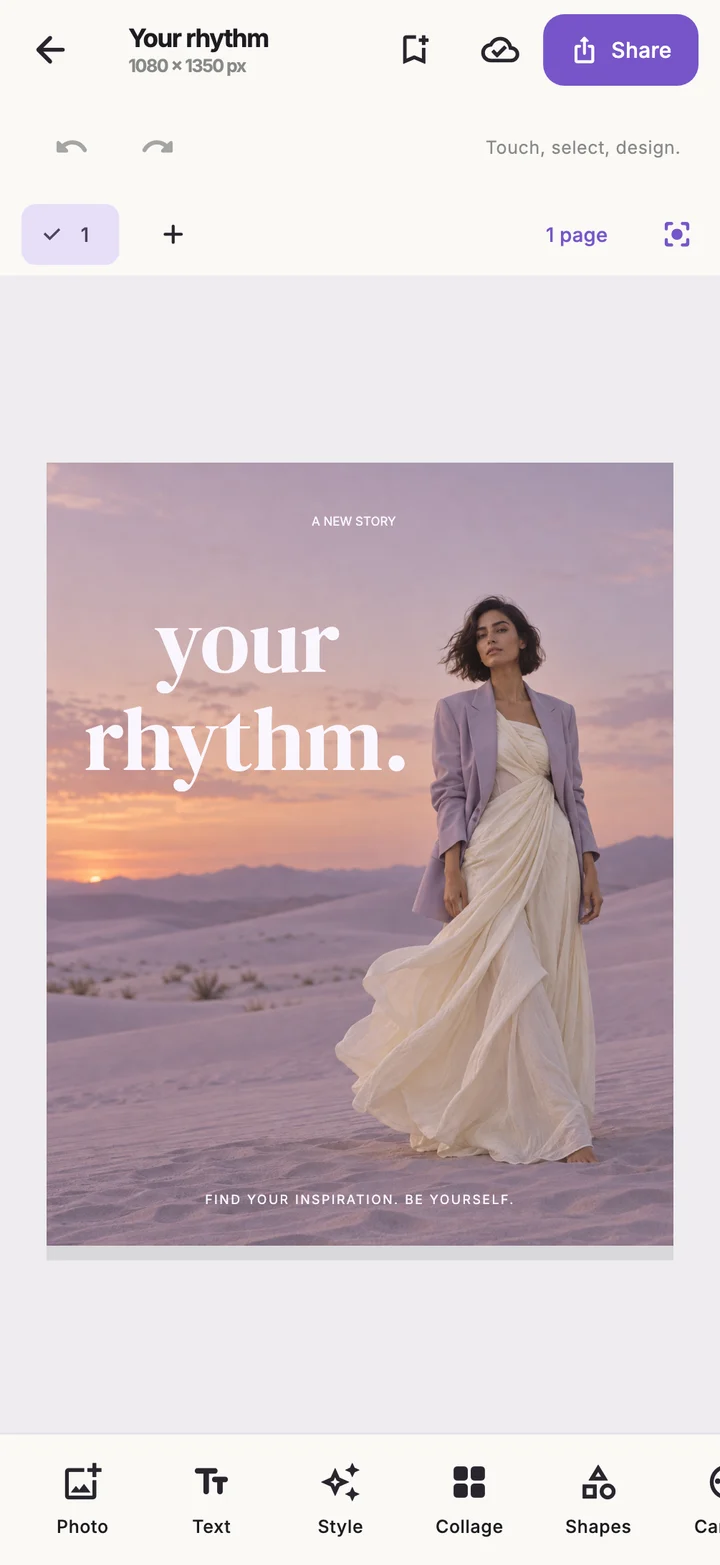
FIND YOUR PHOTO’S RHYTHM
Shape the light, explore color, and find a new frame. Use layers and effects to make every photo feel more like you.
Color · Light · LayersFind your style02 / MAKE A LITTLE ROOM TO PLAY
Pick a photo. Set the mood. Add your words. A small preview of your creative side.
Free PNG · 1080 × 1350
This mini studio uses sample images. The complete Photovia toolkit lives in the mobile app.
03 / DON’T STOP AT ONE FRAME
A journey. A little moment. A collection that’s yours. Bring your photos together in one design.
01 / WANDER 02 / SLOW DOWN
MORE ROOM FOR YOUR IDEAS
Explore essential editing tools and find your style with 5 free fonts.
Unlock premium tools, 20 extra fonts, and ad-free exports. Make space for creativity with a weekly, monthly, or yearly membership.
In the mobile app, complete 2 rewarded ads for each export, or export ad-free with Premium. Other supported premium tools require 1 ad for one use.
Subscriptions will be available when the app launches. Prices and renewal terms appear at checkout.
Photovia is being prepared for iOS and Android. Once the app launches, you’ll find the App Store and Google Play download links on this page.
Essential tools and 5 fonts are free. The other 20 fonts and selected tools are part of Premium. Each export in the mobile app requires 2 completed rewarded ads; Premium members export directly. Other supported tools need 1 completed ad for one use. Saving drafts is free.
Editing and project drafts are processed on your device. Photos are not sent to a server for background removal or object repair. Shared exports go to the app you choose. See Privacy for details about advertising and subscription services.
Yes. Create collages and carousel posts, organize your projects in folders, and come back to your designs later.
After launch, manage or cancel your membership through the App Store or Google Play account you used to subscribe. Restore purchases from Settings in the app.
THE NEXT STORY IS YOURS
Your creative space. Coming soon to your pocket.